ENTRY
14
October 17, 2026
All-Day Build: Full Ball Path, Shooter Iterations & Number Plates
Meeting Summary
On this all-day build, we fixed the front wheels so the robot strafes correctly, put on our new number and logo plates, and built the robot's complete ball path: intake, feeder, kicker, and shooter. The shooter went through several iterations. By the end of the day the whole system could pick up balls, move them to the shooter, and shoot them out of the robot, but the shooter wasn't strong enough to reach the height of our mock-up hive. We made a plan to switch to a flywheel shooter, set up a simple autonomous, and prepared for competition.
Drivetrain: Fixed
- Flipped the two front wheels, which had been installed backwards. Strafing now works correctly.
Plates, Number Tiles & Frame
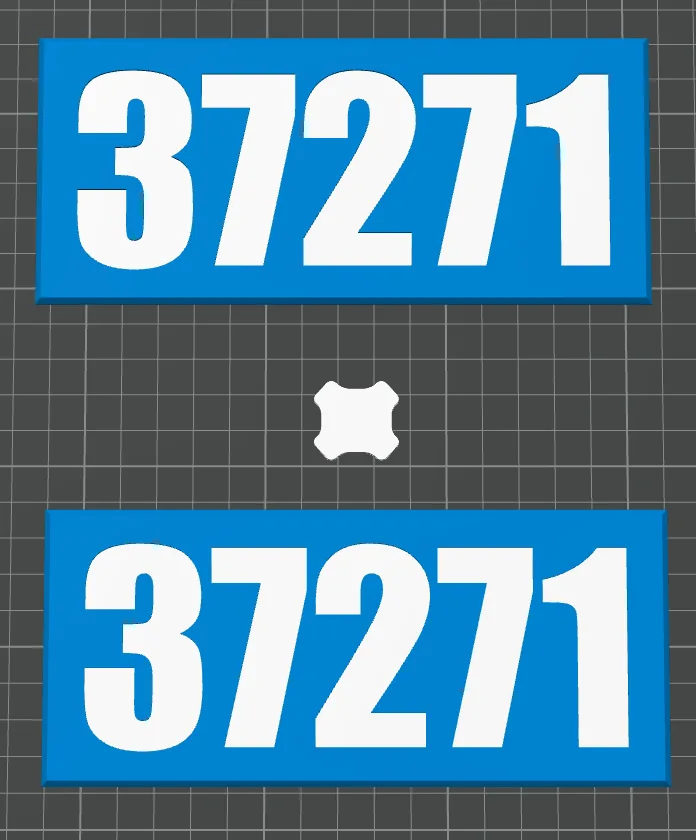
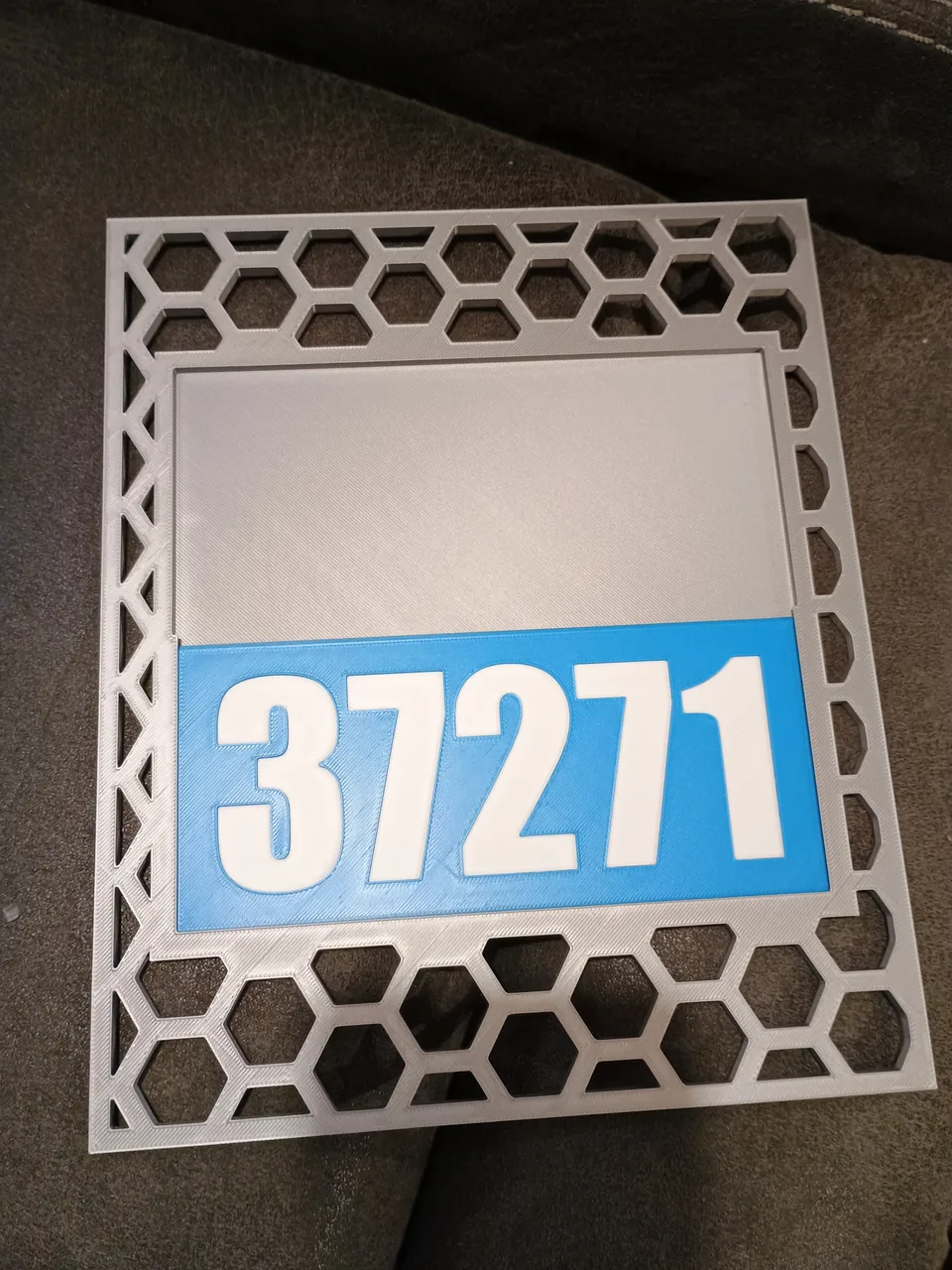
- Sarah printed the number slot plates, and they turned out great. The blue tile with our white team number slides into the plate's slot, so we can swap it for a red one depending on our alliance.
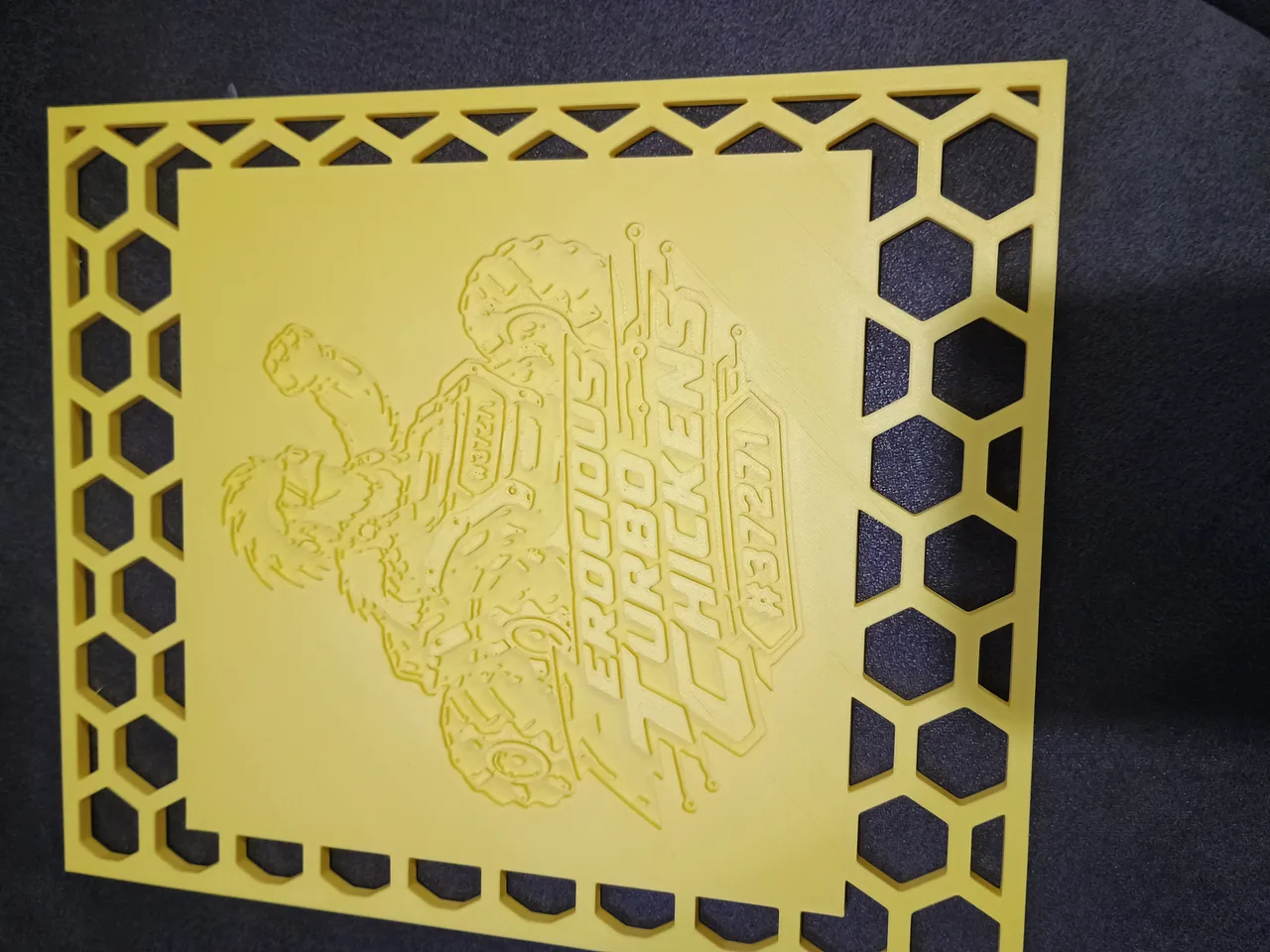
- Attached the yellow logo plate and more of the guard plates
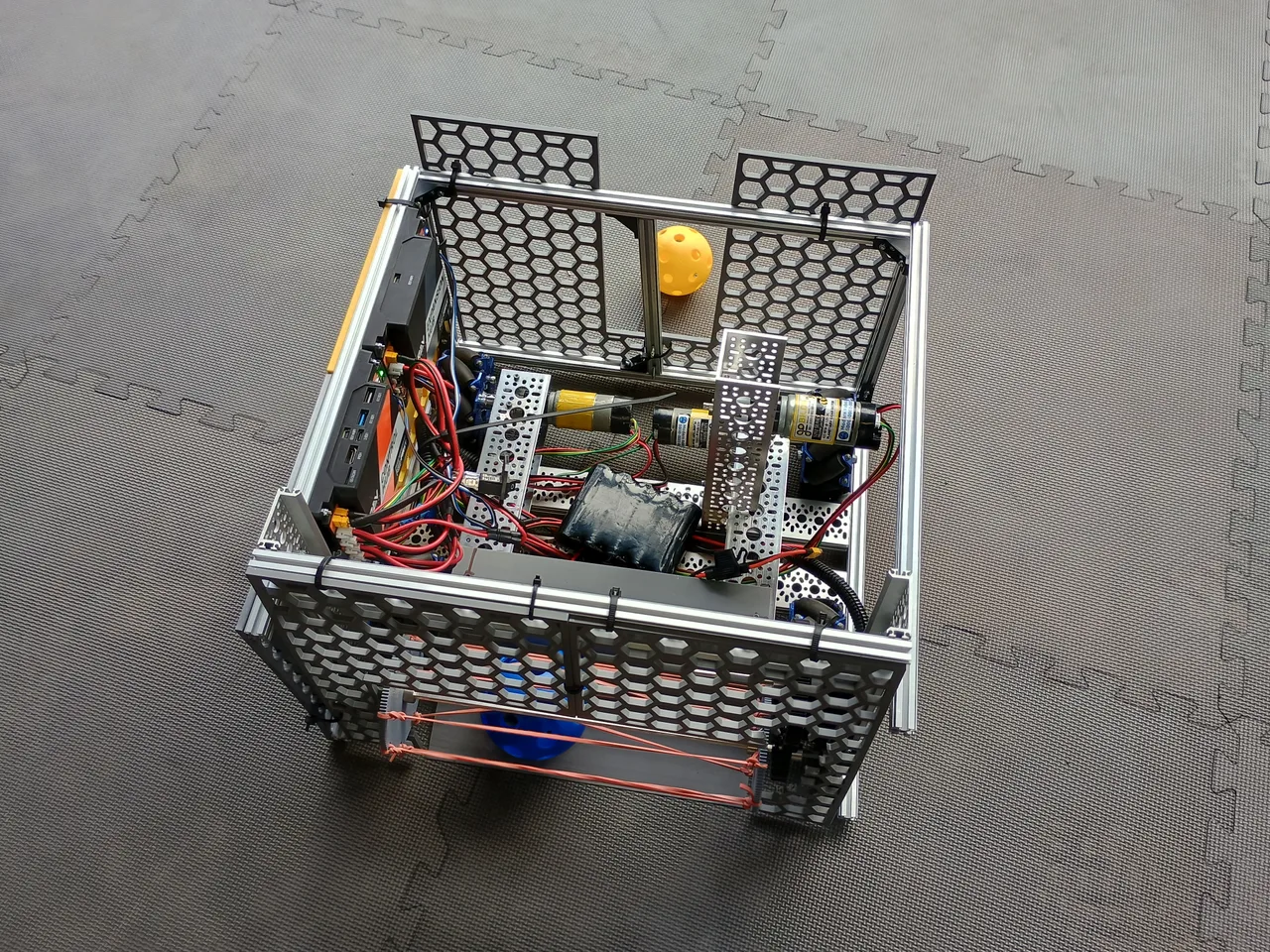
- Added side plates that funnel balls in, plus back plates on the outside of the robot
- Moved the battery, because it was sticking out over the edge of the robot
- Printed a cover for the on/off switch, because balls kept hitting it and turning the robot off
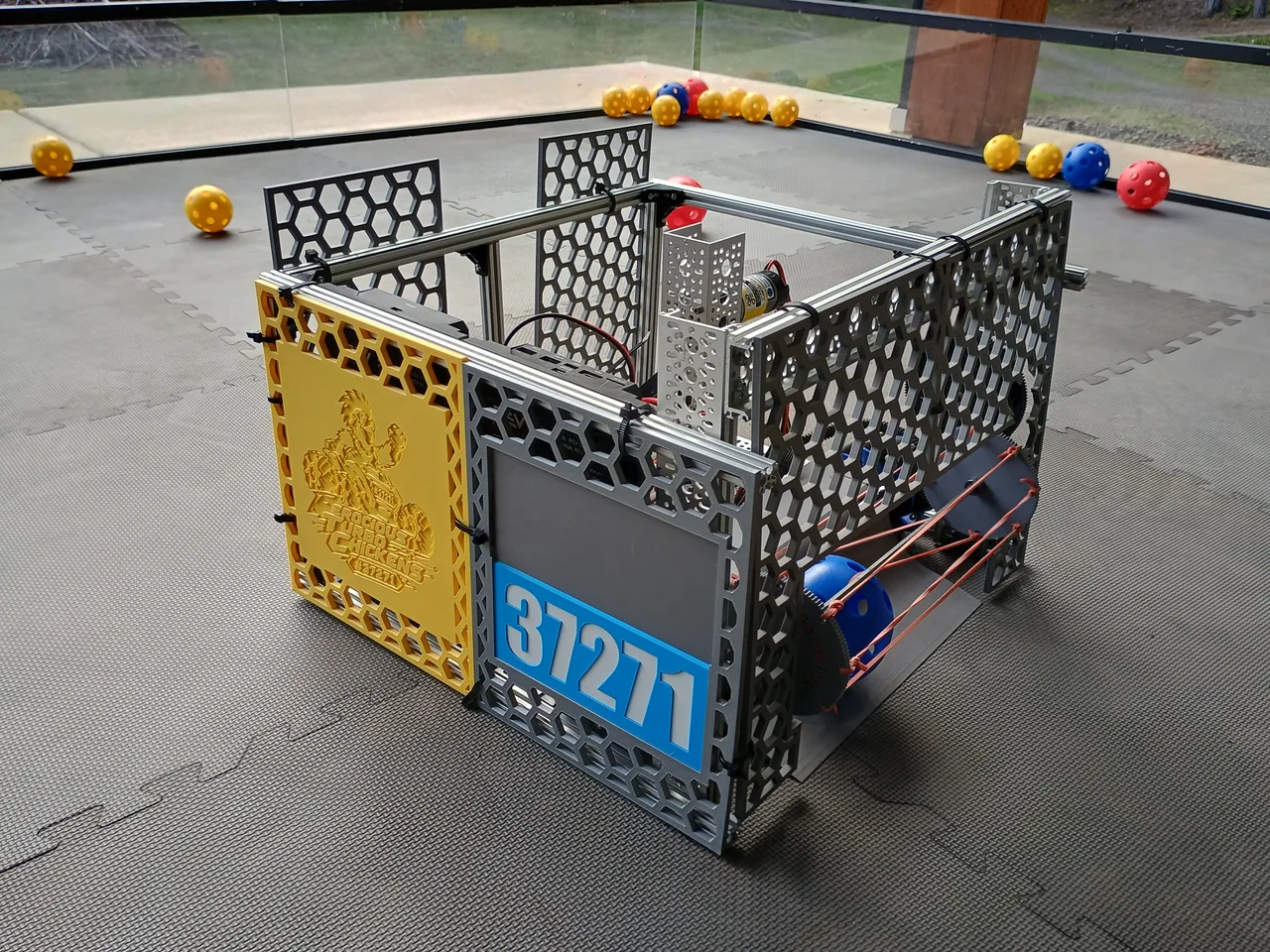
The Ball Path: Intake, Feeder, Kicker
- Director panel: we built a panel that directs balls coming in from the intake off to one side, into a holding channel. At first the balls popped up and jammed, so we added a ceiling above the panel.
- Holding channel: holds four balls, which physically limits how many balls the robot can carry
- Feeder: we tried a gravity-fed design first, but the balls wouldn't go up high enough. Torin built a feeder motor with a wheel that has "fingers" made of zip ties and hot glue, which pushes the balls down the channel toward the shooter. It worked surprisingly well!
- Kicker: a servo at the end of the channel knocks each ball into the swinging-arm shooter. It still needs work, because the ball doesn't always get all the way into the shooter before the arm hits it. We took slow-motion videos to see what was happening.
Shooter Iterations
- Made the shooter arm shorter
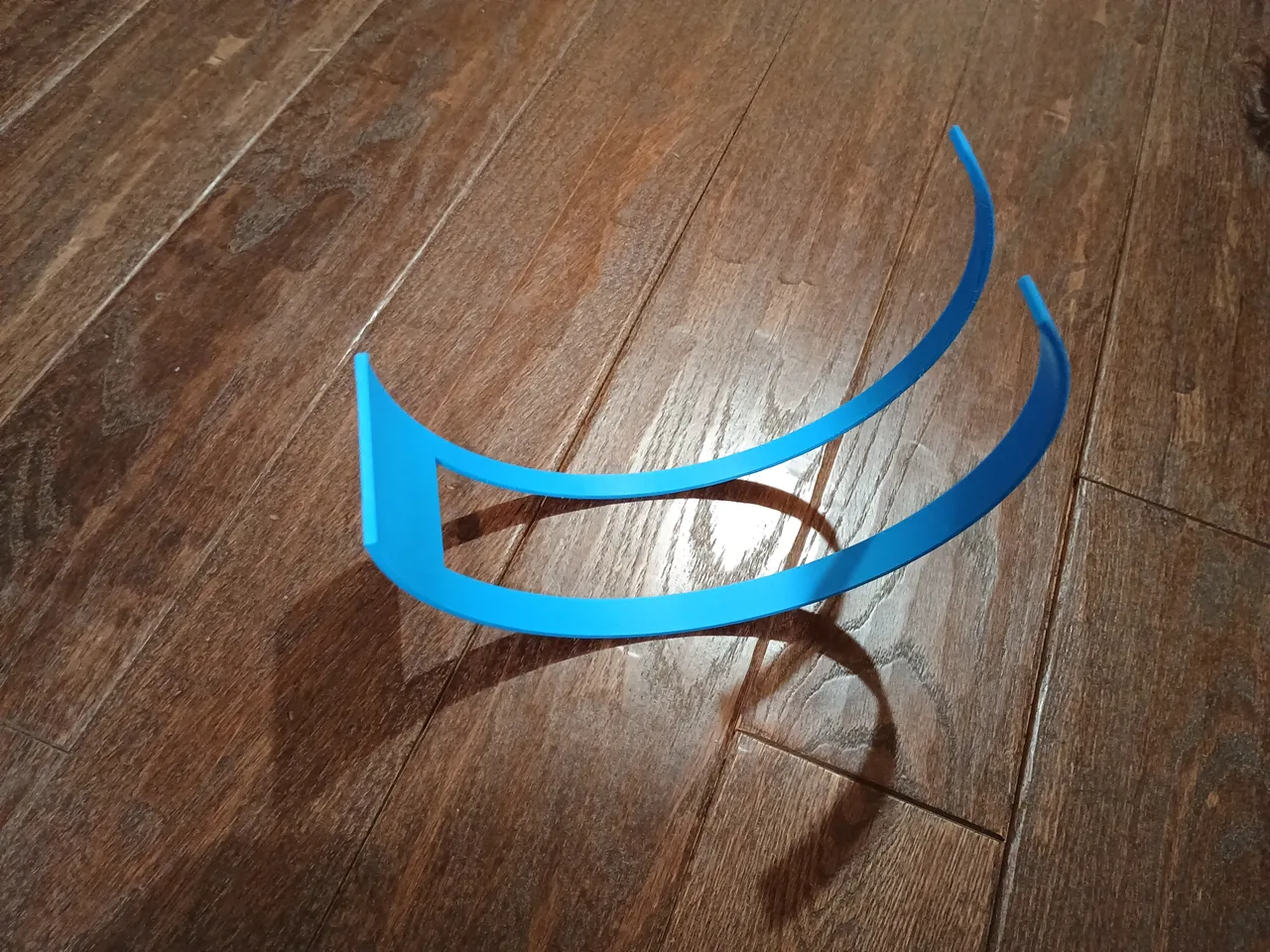
- Josh designed guide rails for the shooter, and we printed a prototype during the meeting and mounted it. The rails made the shots more accurate: the ball now flies straight instead of off to one side.
- Removed one of the two paddles, making it a single-paddle shooter, because there wasn't enough time to get a ball into place between paddles
- With only one arm, the shooter didn't have enough power. First we added a big gear as a flywheel for momentum. Then we moved the big gear lower and added a small gear up top, connected to the catapult, which made it a lot faster.
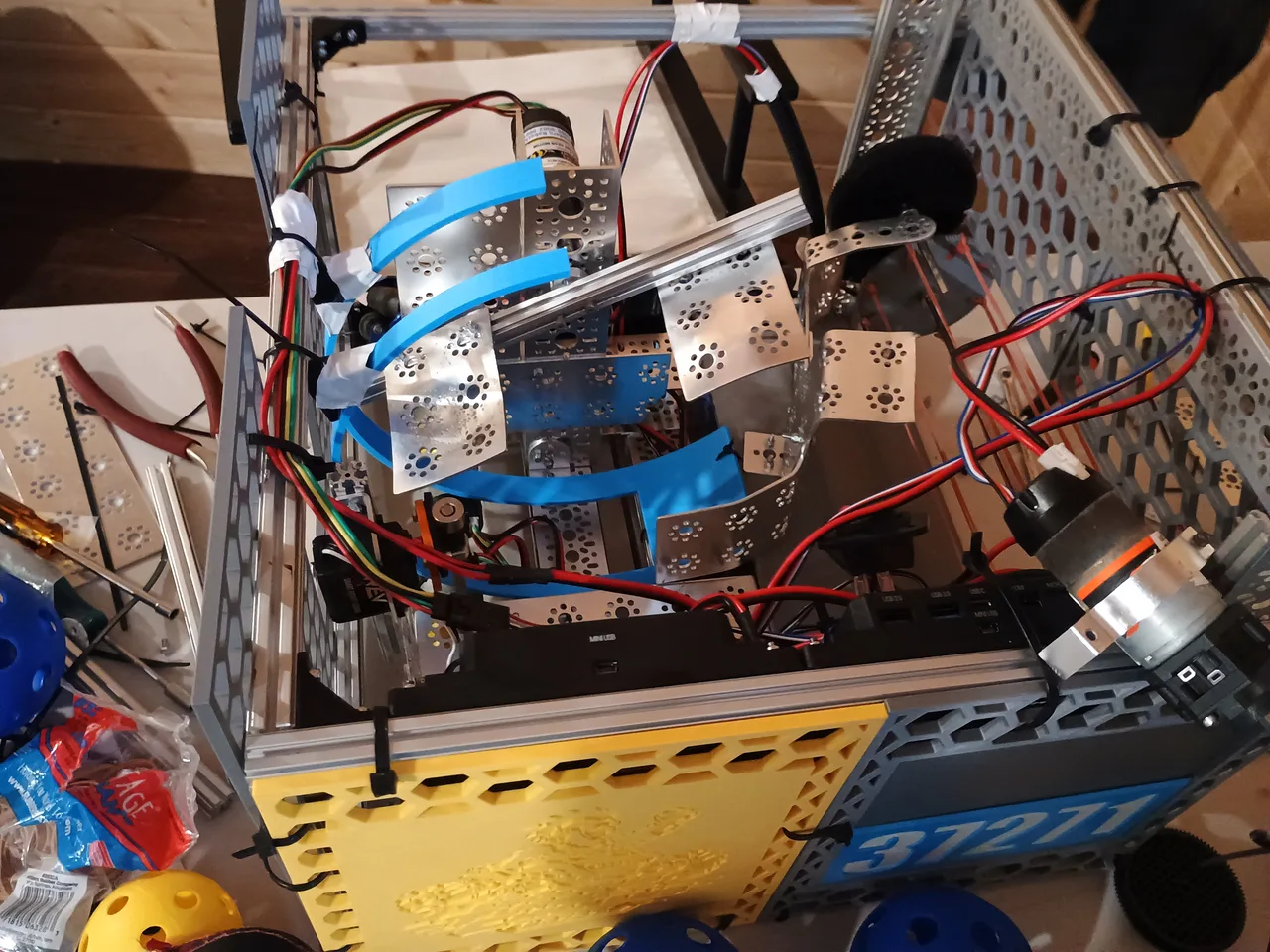
Code & Electronics
- Sarah programmed the shooter motor, the feeder motor, and the kicker servo at the end of the holding channel
- We looked up how to plug in the servo and which port to use, then realized we had plugged it into the Expansion Hub, not the Control Hub, so we changed that in the code
- Changed the catapult's direction in the code a couple of times
- Secured the wires
- Autonomous: Sarah programmed a simple autonomous mode that drives out two feet, stops, and comes back. That should earn points for leaving and parking while we work on more.
Testing With a Mock-Up Hive
- Looked up the hive's specifications in the game manual so we could mock it up
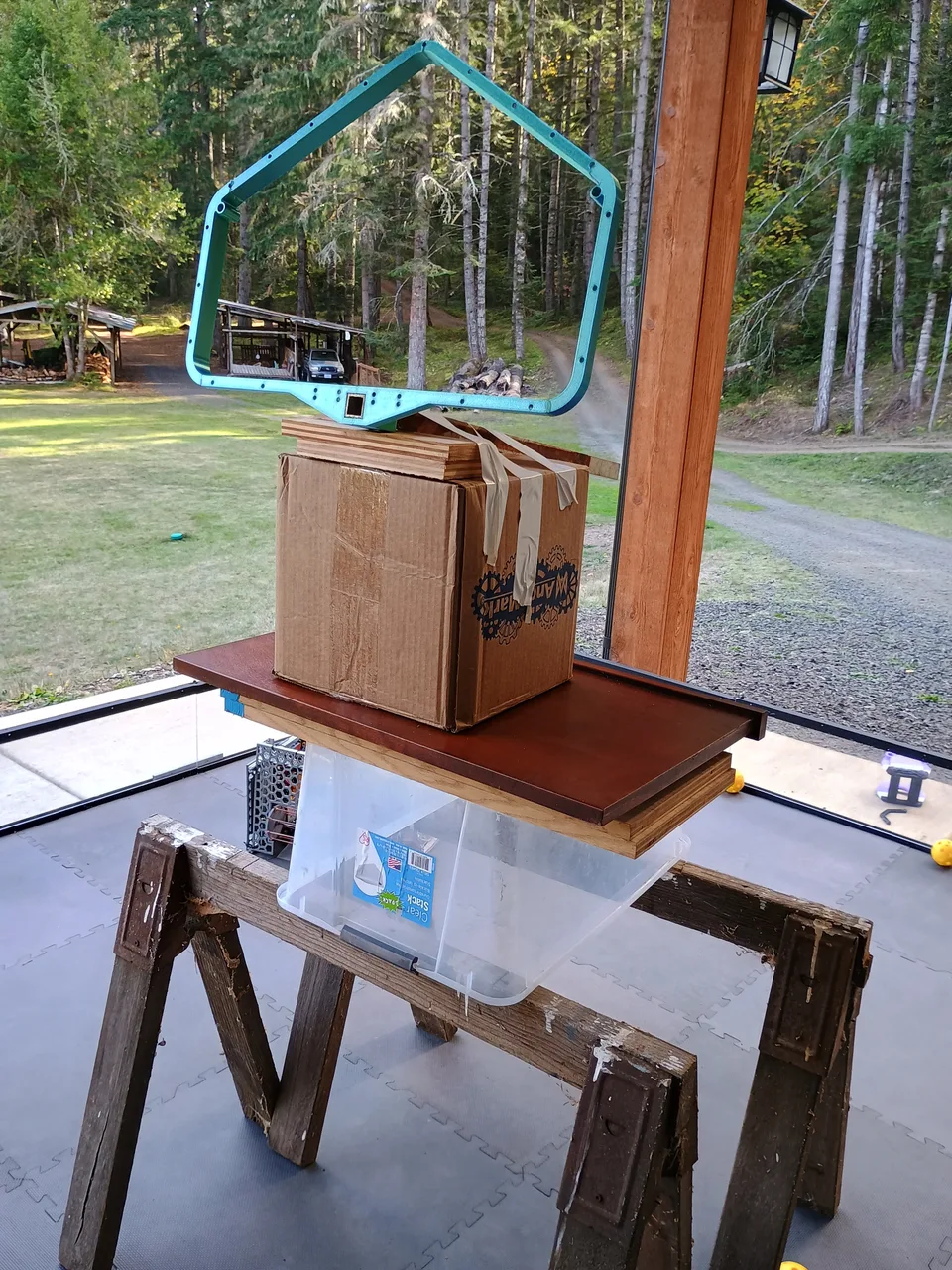
- Josh and Sarah built a mock-up hive with the frame at the right height to test shooting into it
- Did several test drives, intaking and shooting balls. The whole system of intaking balls, moving them to the shooter, and shooting them out of the robot worked well, without many problems.
- The one problem: the shooter isn't strong enough to shoot both types of balls up to the height of the hive cells
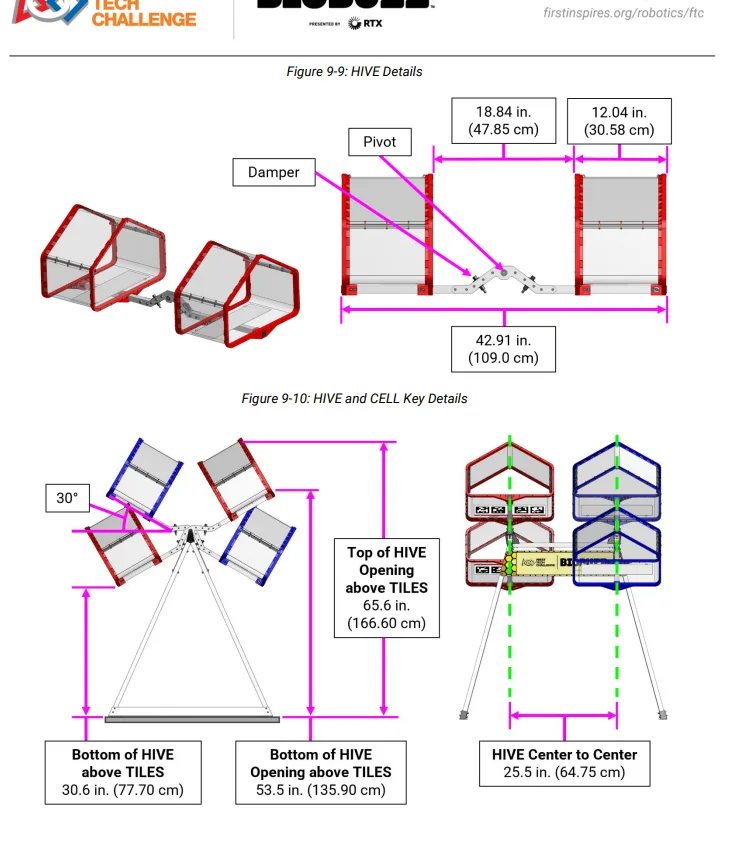
New Shooter Plan
- Our current shooter won't be powerful enough, so we're going to change it
- We only have two more meetings before the scrimmage, which isn't enough time to rebuild everything. So we'll keep our intake, feeder, and channel, but replace the catapult's motor with a servo that pushes each ball up into a double-wheel flywheel that launches it into the hive.
- We got the idea of a cushioned flywheel from another team. Instead of a servo that adjusts the distance between the wheels, we'll use a spring that keeps tension on one wheel. When a large ball goes through, it pushes the spring slightly apart.
- Goal for the scrimmage: a working robot that can intake balls and shoot fairly accurately. We won't try to build much else before then.
- After the scrimmage: we plan to rebuild the inside of the robot around a double-wheel flywheel shooter, like a baseball pitching machine. One idea is a gravity-fed ramp with sets of wheels that carry the balls up to the shooter, similar to our first idea with the screws.
Competition Prep
- Looked up helpful information about the competitions
- Renamed our Driver Station and Robot Controller as required
- Updated the software on our Driver Station and made sure everything is up to date
- Did the robot self-inspection
Lessons Learned for Next Year
- We started the season with only a basic chassis, intake code, and the beginning of a shooter. Next year, we need to start our chassis well before the kickoff.
- Pre-order parts
Outreach & Mentors
- Cascade said it's okay to put their logo on our website and shirts!
- We'd like to have experts come look at our robot. We know people who did FTC and now work at Caddock Engineering and Convey, a former FTC coach, and several people who work at Seven Robotics.
- We'd also like to meet with other teams to exchange ideas
Homework / Action Items
- Josh: print red number tiles with white numbers; redesign the guide rails and print the new ones; keep printing pieces for the hive; go to Video Games Plus (probably Tuesday)
- Torin: get springs for the flywheel; install CAD on his mom's computer and build a flap prototype (this may be delayed, since we haven't finalized the shooter design yet)
- Sarah: put the Cascade logo on the website; add Video Games Plus once Josh visits them; keep printing the walls; change ACNOZAD's photo on the About page; edit this entry and upload it to the website
- Someone: make small, table-size handouts with our QR code for the scrimmage
This notebook was created with the assistance of Claude AI and Handy dictation software.